Help center / Engagement & points
Run games and demos at stands
Give a stand's game or demo a queue attendees join by scanning, and count who actually took part.
A simulator, a quiz or a product demo at a stand draws a crowd, and a crowd means a line. An activity queue replaces the line with a place in the app: attendees join by scanning a code, carry on walking the hall, and get a notification when it is their turn.
How it works on the floor
Two scans, by two different people:
- The attendee scans the activity's printed QR code to take a place in the queue. Nobody at the stand has to do anything, which matters because the queue only exists when the stand is busy.
- A member of the stand's staff scans the attendee's badge to start their turn. This is what counts as taking part. It lands in the exhibitor's report and earns leaderboard points.
Starting a turn is always done by the stand, never by the attendee. A printed QR code can be photographed from anywhere in the hall, so a turn the attendee logged themselves could be faked.
Staff can also add someone by scanning their badge directly, which is how an attendee without the app takes part.
Add an activity
Exhibitors can add and run their own activities from the exhibitor app. You can also add one for them:
- Open Engagement → Activity queues.
- Under Add an activity, give it a Name, pick Which stand, and add a short Description.
- Set How many at once. A simulator with two seats takes two people per round.
- Set a Round length in seconds if rounds have a fixed time. Leave it empty and the round ends when staff say so.
- Press Add it.
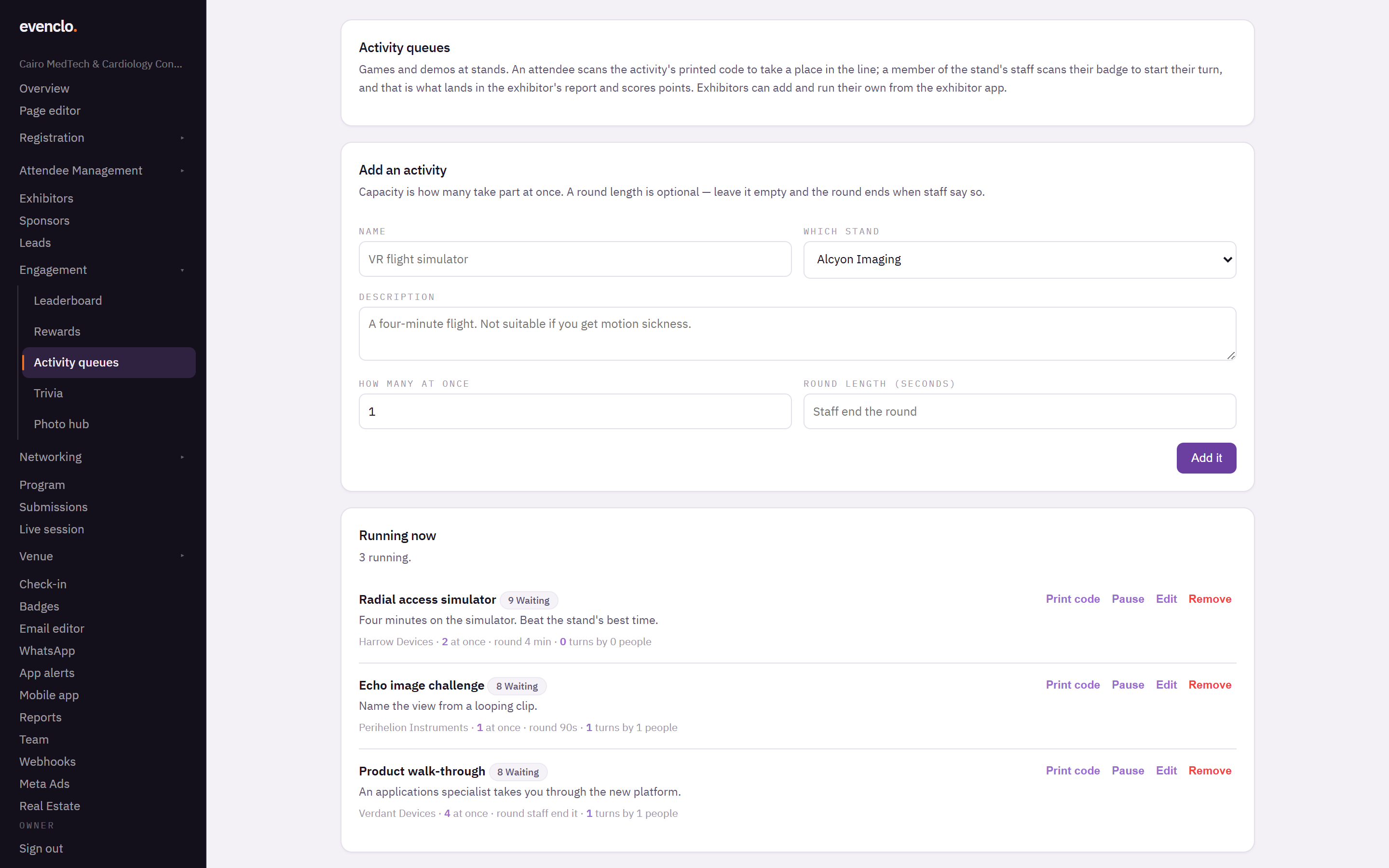
Activity queues page with the add form, the activities running now and who played
Print the activity's QR code and put it on the stand where people will see it.
Watching the floor
Running now lists every activity with how many places are taken and how long the line is. You can pause an activity from here, for example when a stand's equipment breaks down.
Who played counts turns a stand actually started. That is the number that appears in the exhibitor's report.
Common problems
Attendees join but nobody is called. The stand's staff need the exhibitor app open on the activity to call and start turns.
A turn does not appear in the report. Joining the queue is not taking part. The stand has to scan the attendee's badge to start the turn.
Playing twice did not earn more points. Points count distinct activities, so playing the same game twice is still one.
What happens next
more in engagement & points
- Score attendees and show a leaderboardTurn on points for what attendees actually do, set what each action is worth, and read the standing.
- Let attendees spend points on rewardsPut perks on the shelf, set what they cost and how many there are, and see who has swapped what.
- Push a trivia question to the roomSend a question with three answers and a countdown to every phone, and give points for the right answer.
- Run the photo wallLet attendees post photos and short clips inside the app, decide who may post, and moderate what appears.