Send an announcement to the app
Push a short message to attendees, exhibitors or everyone, and point it at the programme, their meetings or the floor plan.
An announcement goes to the evenclo app as a notification and stays in the app's Alerts feed. Use it for what everyone at the event needs to know now: a room change, the hall opening, a deadline extended.
It is not an email or a WhatsApp message. People without the app will not see it. For them, use an email campaign or WhatsApp.
Steps
- Open App alerts in the sidebar.
- Write a short Title and the Message.
- Choose Who gets it: everyone, attendees only, or exhibitors only.
- Choose what it Opens when tapped: just the message, the programme, their meetings, the floor plan, or the exhibitor list.
- Press Send now.
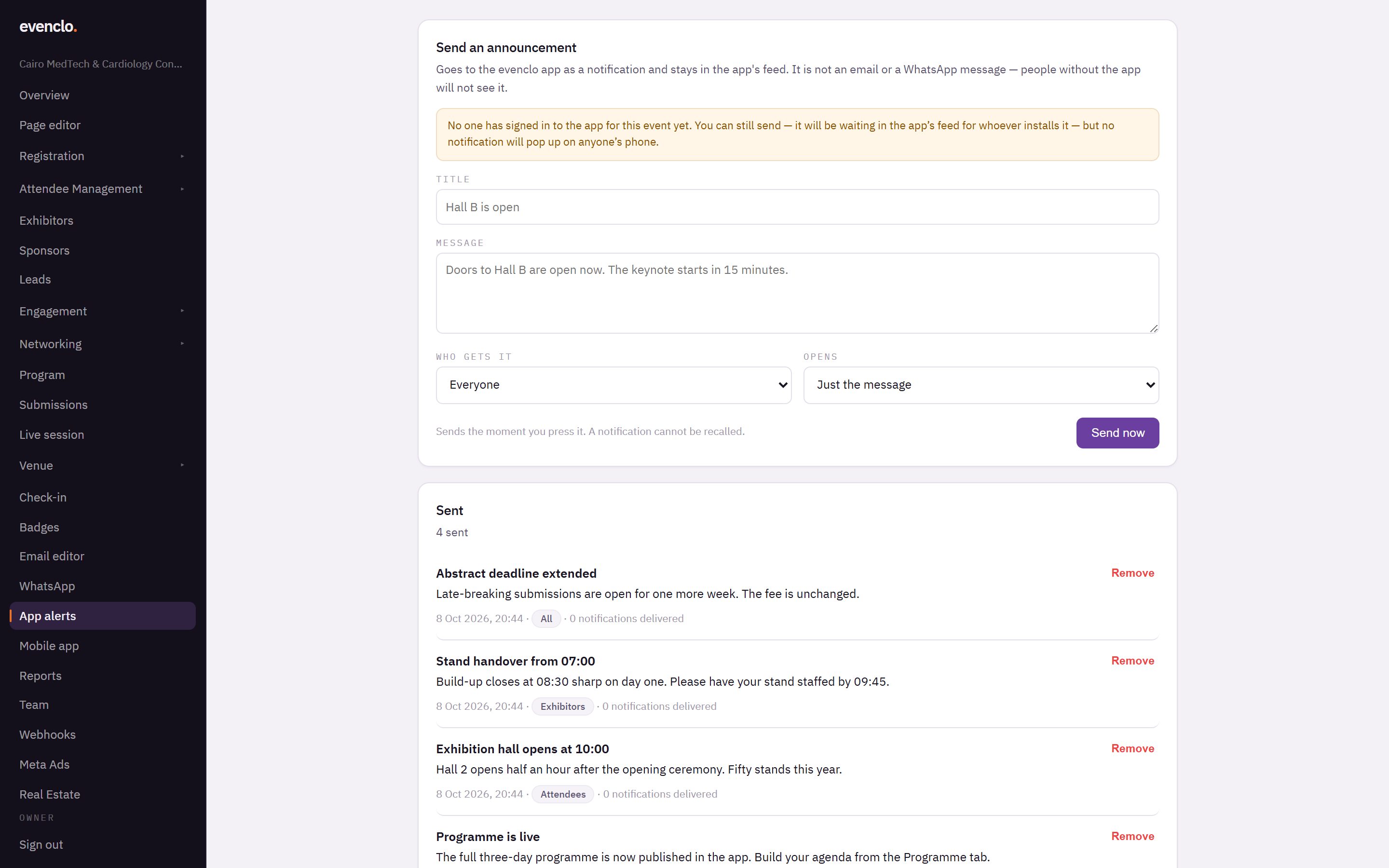
App alerts page with the announcement form and the list of sent announcements
It sends the moment you press it, and a notification cannot be recalled.
After it is sent
Sent lists every announcement with when it went out, who it was for, and how many notifications were delivered. Remove takes it out of the app's feed. Notifications that already arrived on phones stay there.
Common problems
The page says no one has signed in to the app yet. You can still send. The announcement waits in the feed for whoever installs the app, but no notification pops up on anyone's phone.
Few notifications were delivered. Attendees who said no to notifications still see the announcement in the Alerts feed the next time they open the app.
Exhibitors did not get it. Check Who gets it. "Attendees only" does not reach exhibitor staff.