Help center / Abstracts & submissions
Decide and notify authors
Record the committee's decisions, send the letters when you are ready, run a second round for revisions, and publish the posters and the book of abstracts.
Deciding and telling authors are two separate steps, on purpose. A committee decides over an afternoon and sends the letters on a morning it chooses. If one button did both, the first wrong click would email four hundred people.
Decide
- Open Submissions and go to the Decisions tab.
- Press Preview from rubric thresholds. evenclo proposes a decision for each submission from its score: oral, poster, publication only, revise, or reject.
- Check the plan and press Apply decisions.
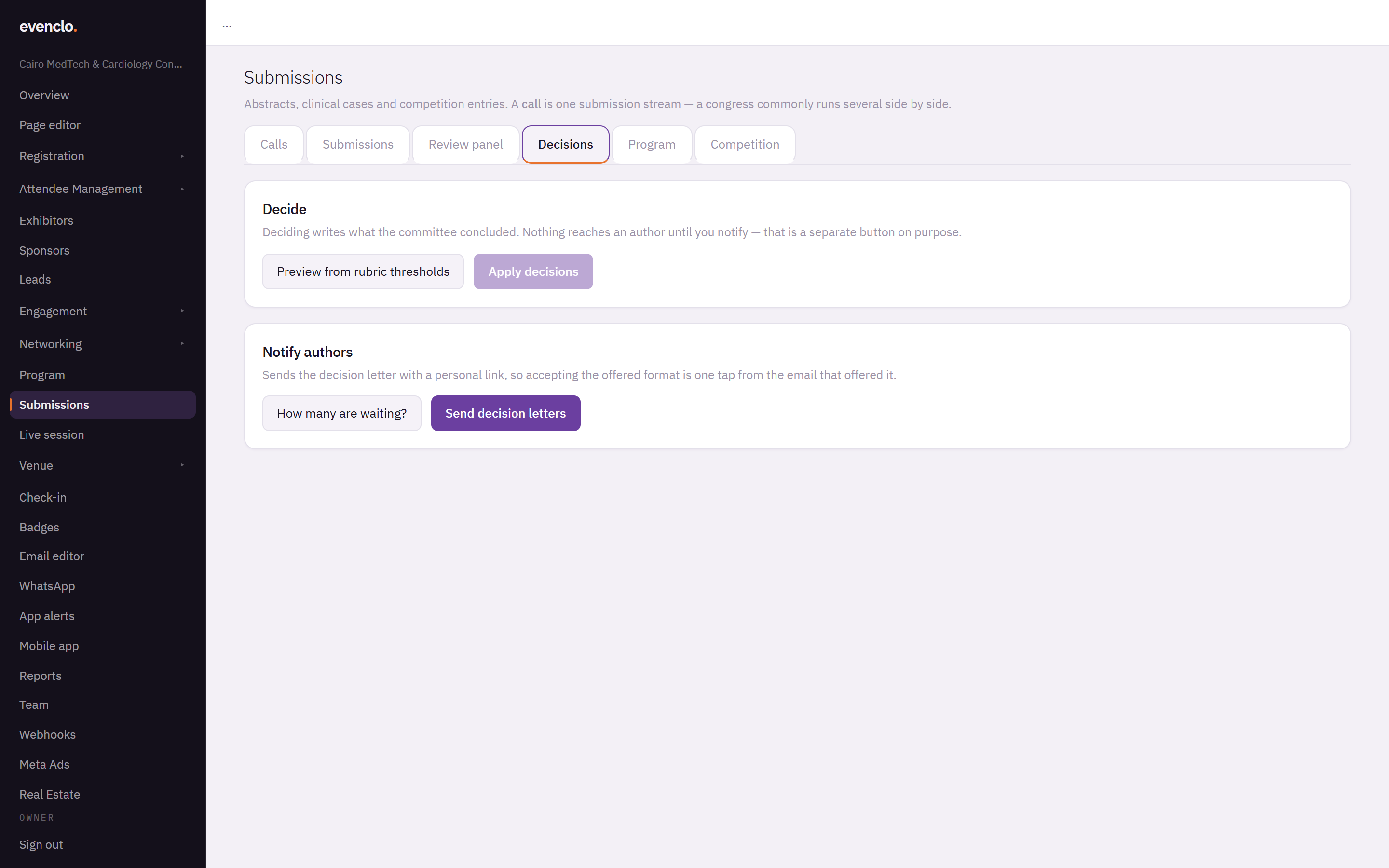
Decisions tab with the decide and notify panels
You can change any single decision by opening the submission. Nothing reaches an author yet.
Notify authors
Under Notify authors, press How many are waiting? to see how many letters would go out, then Send decision letters.
Each letter carries a personal link. Accepting the offered format — oral, poster, publication only — is one tap from the email that offered it.
Sending is safe to repeat. A letter that failed to send is picked up the next time; one that was sent is never sent twice.
Revise and resubmit
Revise is not a final decision. The submission stays under review, and its author can edit and resubmit it even after the deadline, because you asked for the change after the deadline. Resubmitting closes the revise decision and puts it back in the queue.
Run the second round from Assign reviewers with Round 2 — after revisions. A reviewer in round 2 sees their own first-round comments; what other reviewers said stays with you.
The e-poster hall
In the call's settings, set E-poster hall to Published and choose Who can see it: confirmed attendees only, or anyone with the link. The hall is at /posters on your event's address.
Only accepted submissions whose author has already received their letter appear. Many societies keep an abstract embargoed until the congress, which is why the hall is closed and attendees-only by default.
The book of abstracts
On the Submissions tab, press Book of abstracts. It opens as a web page laid out for printing: use your browser's Print → Save as PDF for the printed book, or share the page as the online gallery. It includes accepted submissions only, with authors and affiliations.
Common problems
An author says they did not get a letter. Check that the decision was applied and the letters were sent. Send again; only the ones that failed go out.
A poster is missing from the hall. Its author has not been notified yet, or it was not accepted as a poster.
What happens next
more in abstracts & submissions
- Open a call for abstracts or casesCreate a call, pick a form preset, set the deadline, blinding, fee and who may submit, and publish the form.
- Review submissionsAdd reviewers, check for conflicts, let the allocator assign submissions, follow progress and read the scores.
- Put accepted work on the programmeTurn every accepted submission into a session and a speaker in one press, and make sure every presenter registers.
- Run a judged case competitionSet a running order, let judges score each presentation from their phones with a shared clock, and rank the prize winners.