Help center / Networking & meetings
Run 1:1 meetings between attendees and stands
Let attendees and exhibitors set their availability and book each other, decide who may book whom, and schedule meetings yourself.
1:1 meetings let attendees and exhibitors book short meetings with each other. Each person sets the hours they are free, and the other side books a slot. Bookings show up in the evenclo app, on the web at /meetings, and in the exhibitor portal.
An exhibitor company has one diary. Every member of a stand's staff books into and reads the same schedule.
Turn meetings on
- Open Networking → Meetings.
- Switch on Run 1:1 meetings at this event. This publishes
/meetingsand adds a meetings tab to both apps. - Choose who may book whom:- Attendees can book other attendees- Attendees can book exhibitors — the usual one.- Exhibitors can book other exhibitors, for buyer and seller meetings between stands.
- Decide whether Exhibitors can approve, decline or move a request. Off means every booking lands confirmed and the exhibitor has to take it.
- Set the Slot length and the Default hours used for anyone who has not set their own availability.
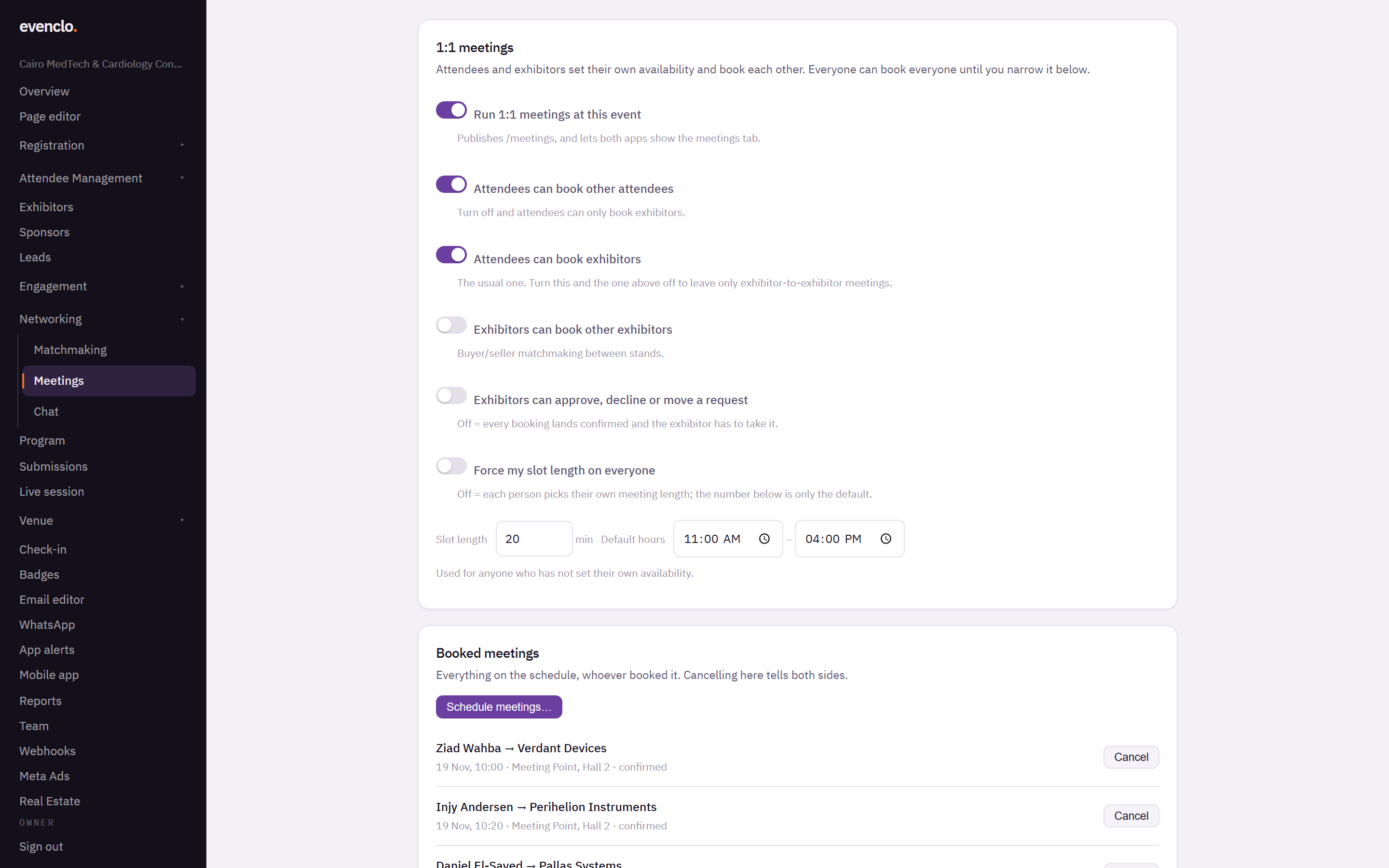
Meetings page with the switches, slot length and default hours, and the booked meetings list
Force my slot length on everyone makes your slot length apply to all. Leave it off and each person picks their own meeting length, with yours as the default.
Times are the venue's clock
Every slot is shown in the event's time zone, not the time zone of whoever is looking. An exhibitor flying in from another country sees the same 10:00 as the person they are meeting in the hall.
Scheduling meetings yourself
For hosted-buyer programmes you often arrange the meetings rather than wait for people to book.
- Press Schedule meetings….
- Under Everyone meets, pick the person or stand everyone will meet. For an exhibitor, each meeting defaults to their booth.
- Under These people, select who meets them. Ctrl-click (Cmd-click on a Mac) or Shift-click to pick several.
- Set When in the venue's local time, and Where if it is not the booth.
- Press Schedule.
Meetings you schedule land confirmed and both sides are emailed; nobody is asked to approve them. They follow the same rules as a booking: nobody is double-booked, and anyone who switched meetings off cannot be booked.
Watching the schedule
Booked meetings lists every meeting, whoever booked it, with its time, place and status: confirmed, pending or declined. Cancel on a meeting tells both sides.
Booking from the registration form
Add a 1:1 meeting picker field to your registration form and attendees can pick meetings while they register. The meetings are booked once their registration is confirmed, and they get one summary email rather than one per meeting.
Common problems
Someone cannot be booked. They switched meetings off in their own settings, or they have no free slots in the hours available.
An exhibitor says requests pile up unanswered. Exhibitors can approve, decline or move a request is on. Turn it off and bookings arrive confirmed.
Meetings show at the wrong hour. Check the event's time zone on the event overview page.