Help center / Exhibitors, sponsors & leads
Add sponsors and tiers
List your sponsors by tier for the attendee app, with a logo, a description and a link.
The Sponsors page is the sponsor list attendees see in the evenclo app, grouped by tier in the order you set.
It is separate from your exhibitor list. A sponsor with no stand belongs here; one who also exhibits can be in both. The sponsors section on your event website is set up in the page editor and is not affected by this page.
Steps
- Open Sponsors in the sidebar.
- Under Tiers, add your tiers, such as "Headline partner", "Gold" and "Supporting". The order here is the order in the app.
- Under Add a sponsor, fill in the Name, pick a Tier, add a short Description, a Link and a Logo.
- Press Add sponsor.
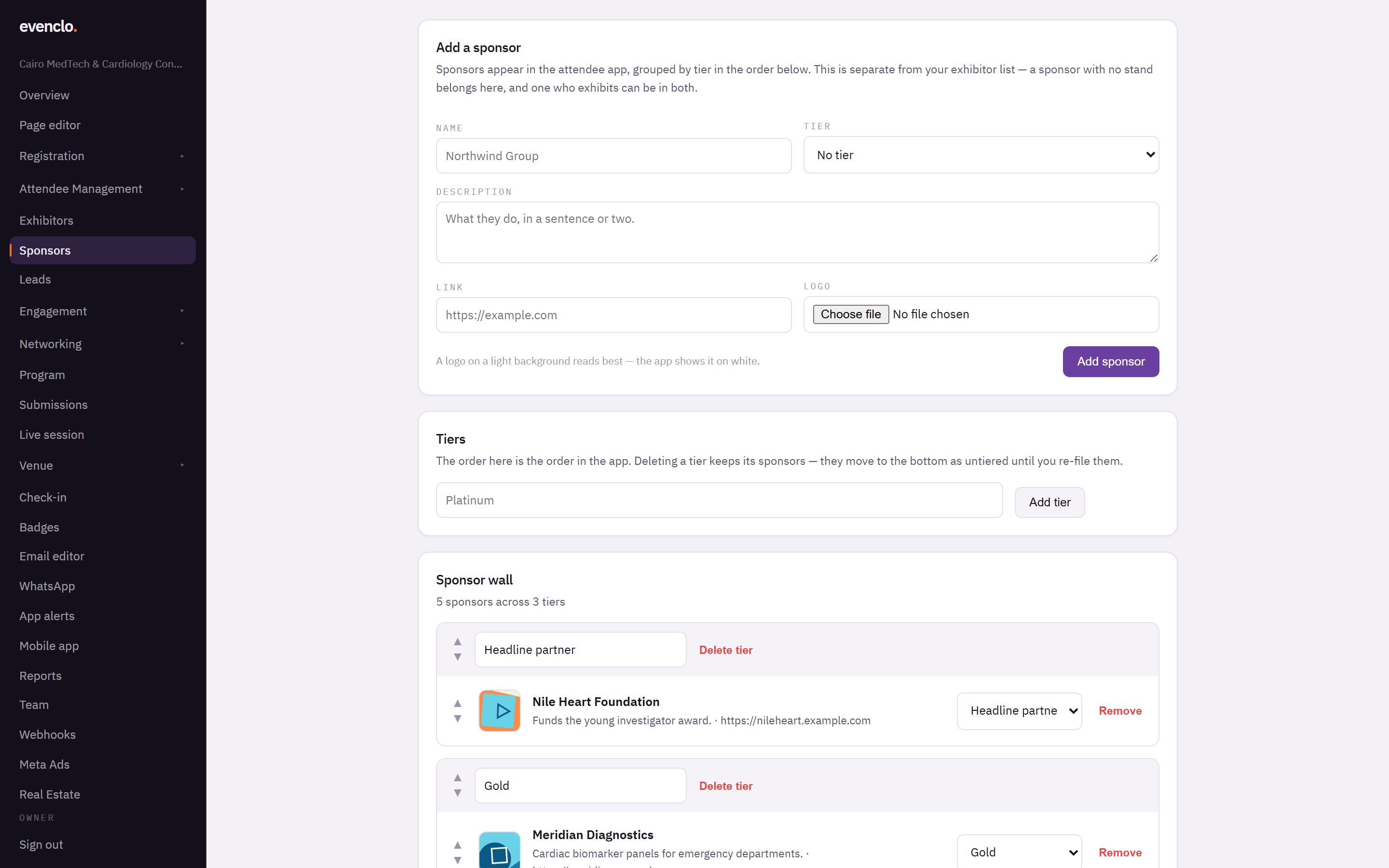
Sponsors page with the add sponsor form, the tiers and the sponsor wall
Logos on a light background read best. The app shows them on white.
Changing tiers
Use the ▲ and ▼ arrows to reorder tiers, and sponsors within a tier. Deleting a tier keeps its sponsors: they move to the bottom as untiered until you file them again, so a paying sponsor never disappears from the app by accident.
Common problems
Sponsors do not appear in the app. The Sponsors screen may be switched off on the Mobile app page.
The logo looks blurry. Upload a larger image, or an SVG.
What happens next
more in exhibitors, sponsors & leads
- How exhibitors work in evencloCatalog, packages, applications, booths and leads — how the pieces fit before you set anything up.
- Build your package catalogDefine booths, sponsorships and bundles once, and reuse them across every event you run.
- Set what a package includes and requiresList what the buyer gets, and what you need them to send you.
- Add venues and hallsSet up the physical spaces your booths live in, once, for every event.