Help center / Abstracts & submissions
Review submissions
Add reviewers, check for conflicts, let the allocator assign submissions, follow progress and read the scores.
Reviewing has three parts: the panel of reviewers, the allocation of submissions to them, and the scores they send back.
The Scientific team role can work on this page without seeing the rest of your event. See What each team role can do.
Add reviewers
- Open Submissions and go to the Review panel tab.
- Press + Add reviewers and type the reviewer as
Name <email>, or just the email address. Add each reviewer in turn.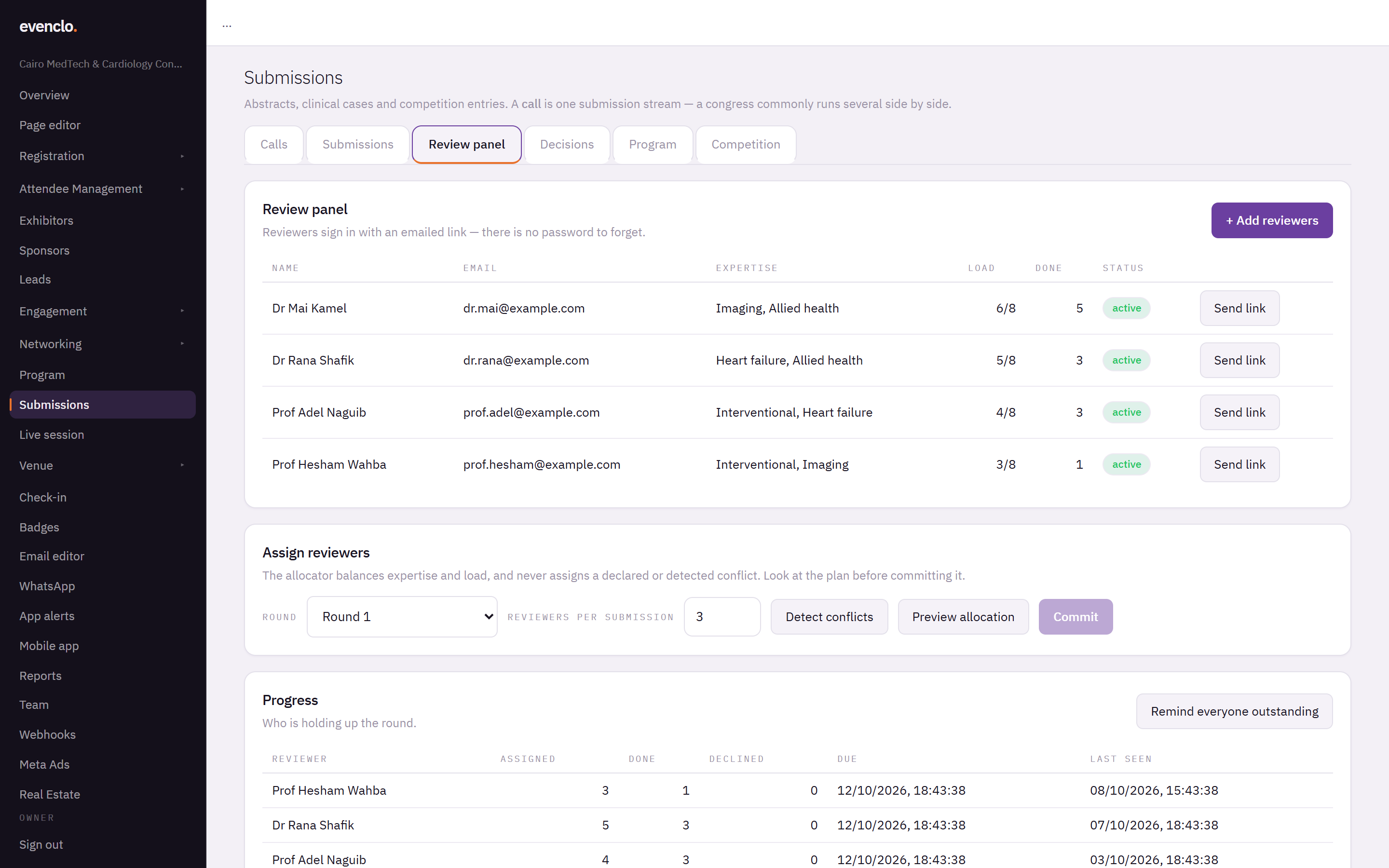
Review panel tab listing reviewers with their expertise, load and progress
Reviewers sign in with an emailed link and a 6-digit code. There is no password to forget. A reviewer belongs to one event, because committees change from year to year.
The allocator matches submissions to reviewers by their areas of expertise. To record a large panel with expertise in one go, send the list to evenclo support.
Assign submissions
- Under Assign reviewers, choose the Round and how many Reviewers per submission.
- Press Detect conflicts. evenclo flags reviewers who share an institution or co-authored with a submission's authors.
- Press Preview allocation. The allocator balances expertise and load, starts with the submissions that are hardest to cover, and never assigns a conflict. Each assignment comes with a sentence explaining why it was made.
- Read the plan, including anything it could not fill and why. Then press Commit.
The allocator refuses rather than compromises: it would rather leave a gap and tell you than give a submission to a reviewer with a conflict.
Follow progress
Progress shows each reviewer's assigned, done and declined counts, their due date and when they last signed in. Press Remind everyone outstanding to email everyone who still has reviews to do.
Read the scores
The Submissions tab lists every submission with its Mean score, the Spread between reviewers, the number of Reviews and any Checks — such as a de-identification warning. Filter by status, and open a submission to read its reviews.
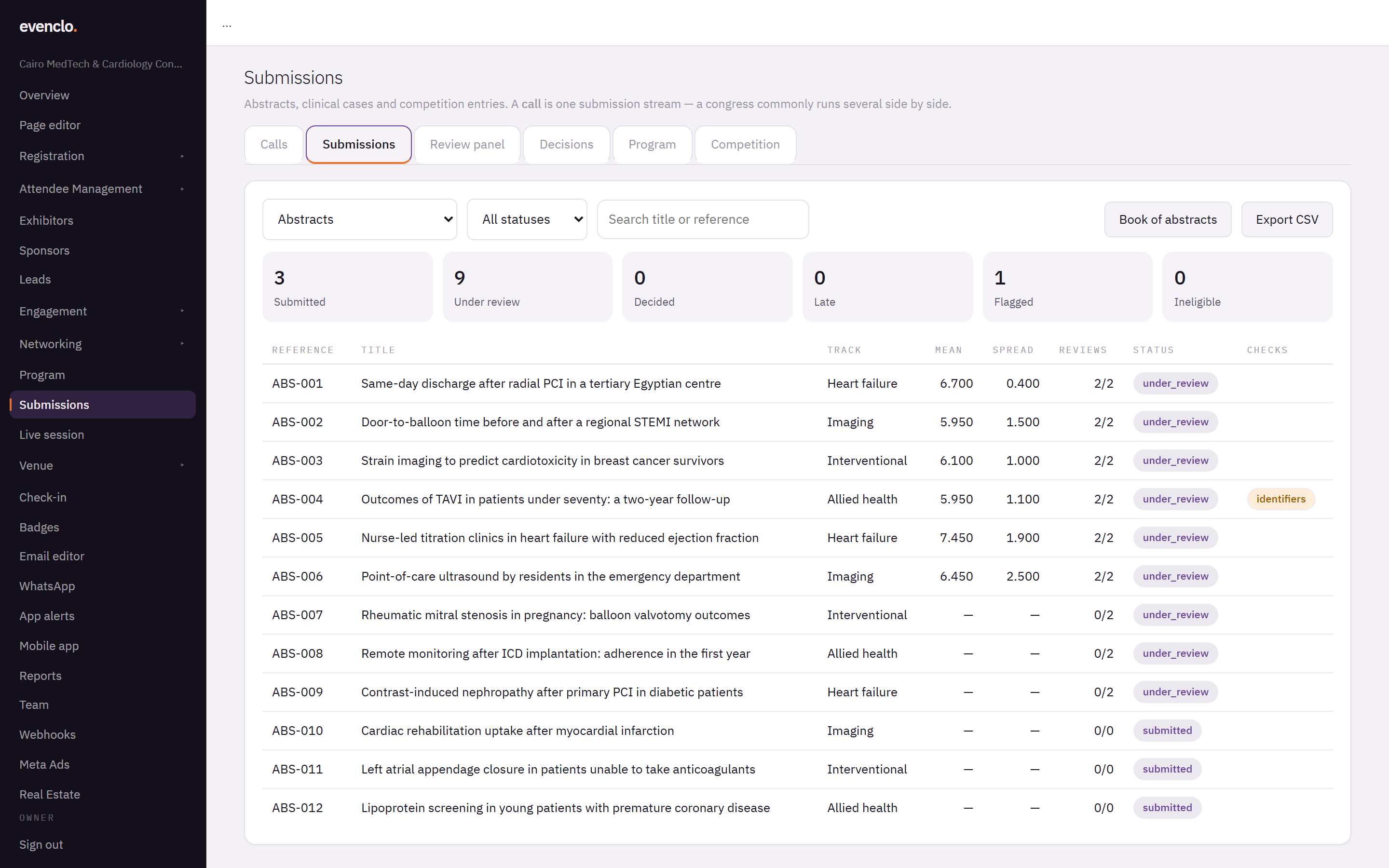
A large spread means the reviewers disagreed. Those are the submissions to discuss in committee.
How the numbers are worked out
- A criterion a reviewer left blank is left out, not scored zero, so a submission is not punished for a reviewer's omission.
- When scores are normalised, each reviewer's scores are shifted so a harsh marker and a generous one count the same. A reviewer who gives everything 7 or 8 does not have their small differences blown up.
- Two submissions on the same mean share a place in the table.
Blinding
With double-blind review, reviewers never see the authors' names or institutions, and file names are hidden, because a file called cairo-heart-case3.jpg gives the game away. Consent and ethics documents are only ever visible to your team.
Common problems
A reviewer says they cannot sign in. Ask them to request a new link from the sign-in page with the same address you added.
The allocator leaves submissions unfilled. Add reviewers with that expertise, or lower the number of reviewers per submission.
What happens next
more in abstracts & submissions
- Open a call for abstracts or casesCreate a call, pick a form preset, set the deadline, blinding, fee and who may submit, and publish the form.
- Decide and notify authorsRecord the committee's decisions, send the letters when you are ready, run a second round for revisions, and publish the posters and the book of abstracts.
- Put accepted work on the programmeTurn every accepted submission into a session and a speaker in one press, and make sure every presenter registers.
- Run a judged case competitionSet a running order, let judges score each presentation from their phones with a shared clock, and rank the prize winners.