Help center / Engagement & points
Let attendees spend points on rewards
Put perks on the shelf, set what they cost and how many there are, and see who has swapped what.
Points mean more when they buy something. The rewards store lets attendees spend the points they earned on the leaderboard on perks you and your exhibitors offer: a seat at the gala table, time with a speaker, a hands-on session at a stand.
There is no separate switch for the store. Adding a live perk is what opens it in the app. Remove or pause every perk and the store disappears again.
Steps
- Make sure the leaderboard is on. The store spends leaderboard points.
- Open Engagement → Rewards.
- Under Add a perk, fill in:- Name and Description, as attendees will see them.- Cost in points.- Limit, the number available in total. Leave it empty for no limit.- Expires, if the perk stops being available at a set time.- From which exhibitor: leave it on The organizer (us) for your own perks, or pick the stand that is giving it.- A Logo and the Terms of use.
- Press Add it.
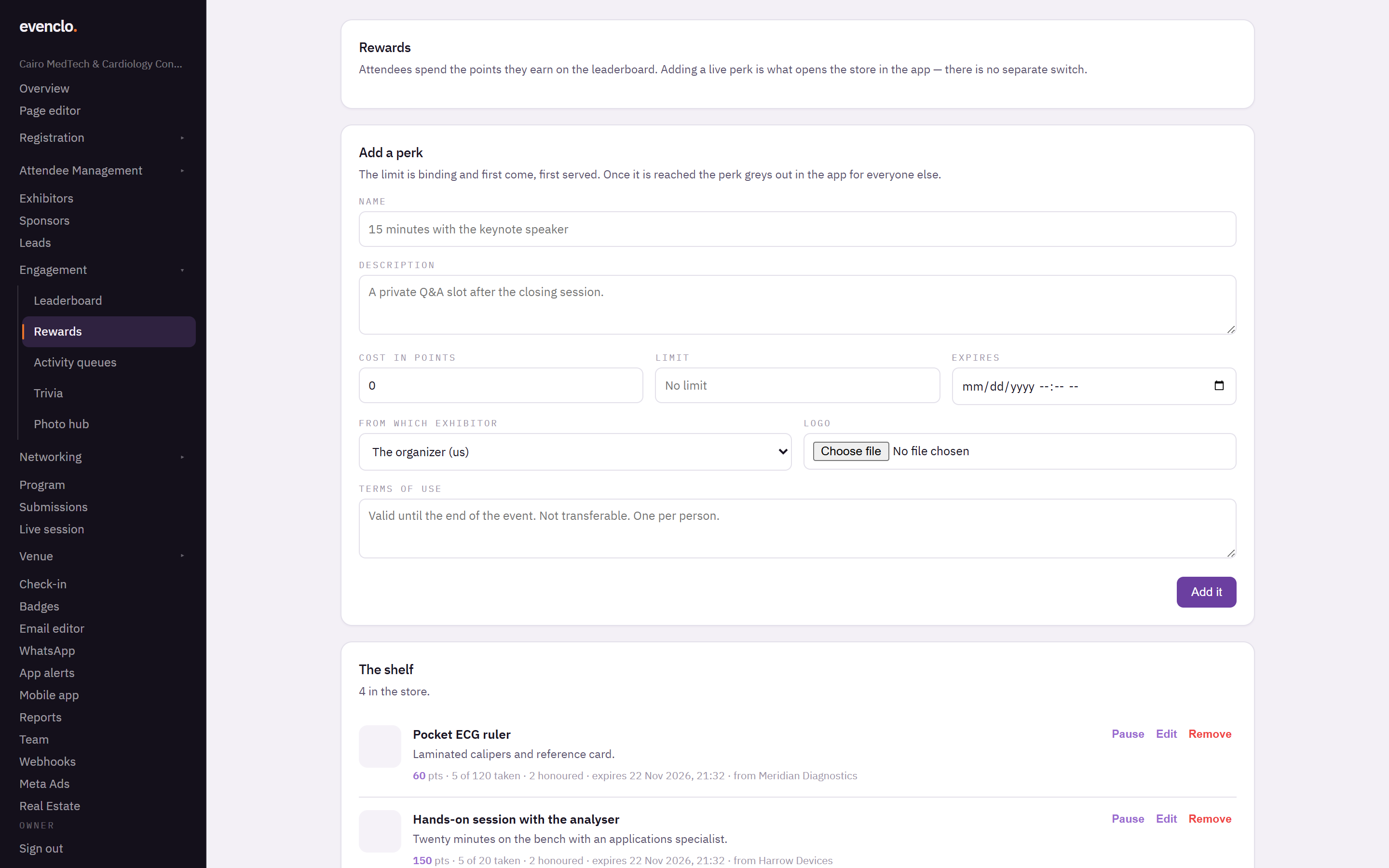
Rewards page with the add a perk form and the shelf of live perks
The limit is binding
If a perk has a limit of six, exactly six people can have it. When several attendees tap at the same moment, the first ones in get it and the rest are told it is gone. Once the limit is reached, the perk greys out in the app for everyone.
Handing a perk over
When an attendee swaps points for a perk, the app gives them a code.
- A perk from a stand is used up by that stand. Their staff scan the attendee's badge in the exhibitor app, and the swap is marked as used.
- One of yours — a meeting, a seat — is marked as used here, under Who has swapped.
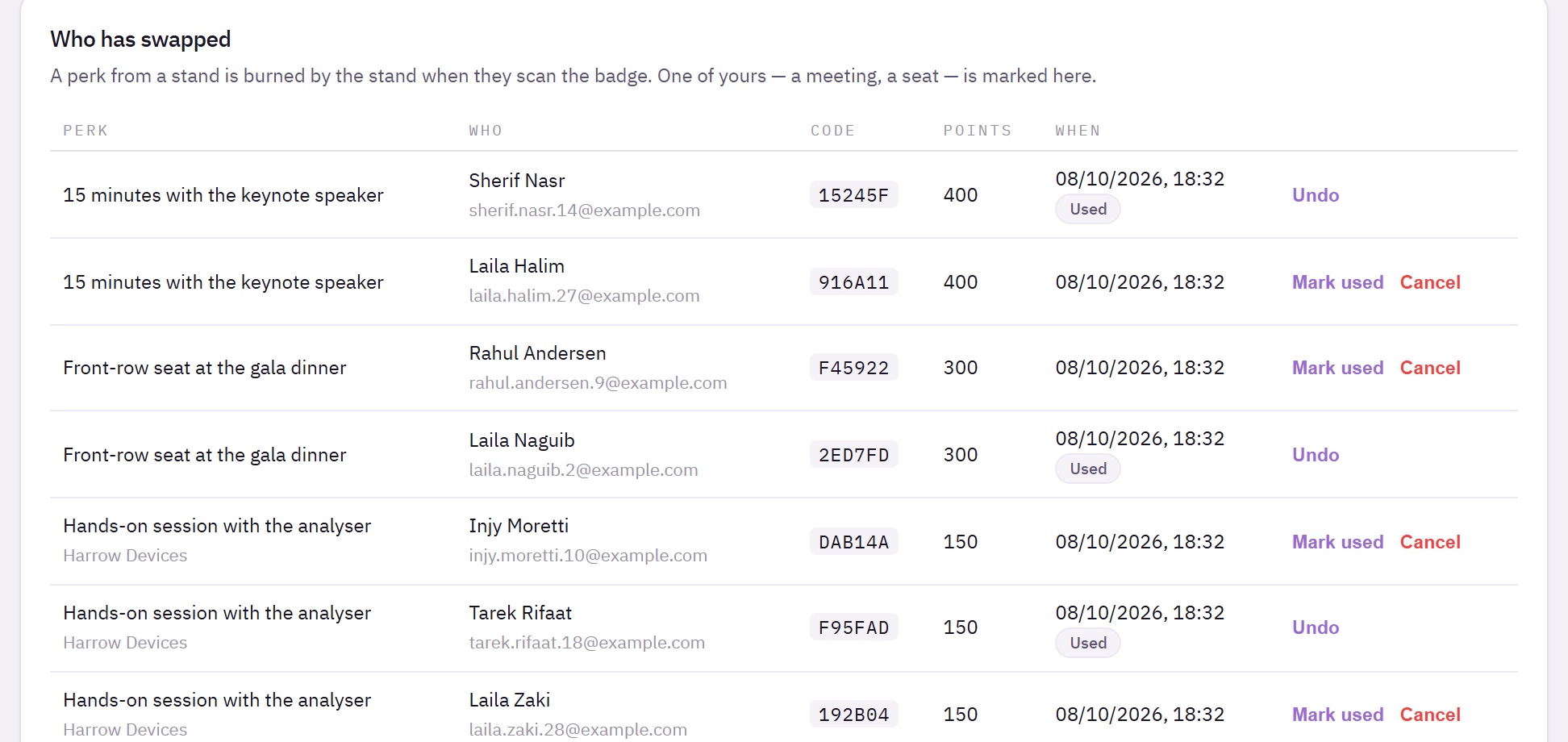
Perks proposed by exhibitors
Exhibitors can propose a perk from their own portal. A proposal does not go live until you accept it here, because it spends your event's points and is shown to every attendee. Once it is live, the exhibitor can no longer change its wording or terms; you can, if you need to fix a mistake.
Common problems
The store does not appear in the app. Check that the leaderboard is on and that at least one perk is live and not expired.
An attendee has enough points but cannot swap. The perk has reached its limit, has expired, or they already have it.
A stand says the scan did not work. The attendee must show the badge of the person who swapped. A swap belongs to one attendee and cannot be used by a colleague.
What happens next
more in engagement & points
- Score attendees and show a leaderboardTurn on points for what attendees actually do, set what each action is worth, and read the standing.
- Run games and demos at standsGive a stand's game or demo a queue attendees join by scanning, and count who actually took part.
- Push a trivia question to the roomSend a question with three answers and a countdown to every phone, and give points for the right answer.
- Run the photo wallLet attendees post photos and short clips inside the app, decide who may post, and moderate what appears.