Help center / Engagement & points
Push a trivia question to the room
Send a question with three answers and a countdown to every phone, and give points for the right answer.
A trivia question pops up in the evenclo app with a countdown. Everyone who picks the right answer before time runs out earns points on the leaderboard. It works well between sessions, during a break, or to fill the hall before a keynote.
Steps
- Open Engagement → Trivia.
- Write the Question.
- Fill in the three answers and mark the right one.
- Set Points for a right answer. Leave it blank to use the event's default.
- Set Seconds to answer.
- Choose Who gets it: everyone, attendees only, or exhibitors only. Only attendees score; an exhibitor sees the question but their staff answer from the attendee app like anybody else.
- Open Arabic to add the question and answers in Arabic. Answers are matched by position, so keep them in the same order.
- Press Send now, or set a time under Send it later and press Save for later.
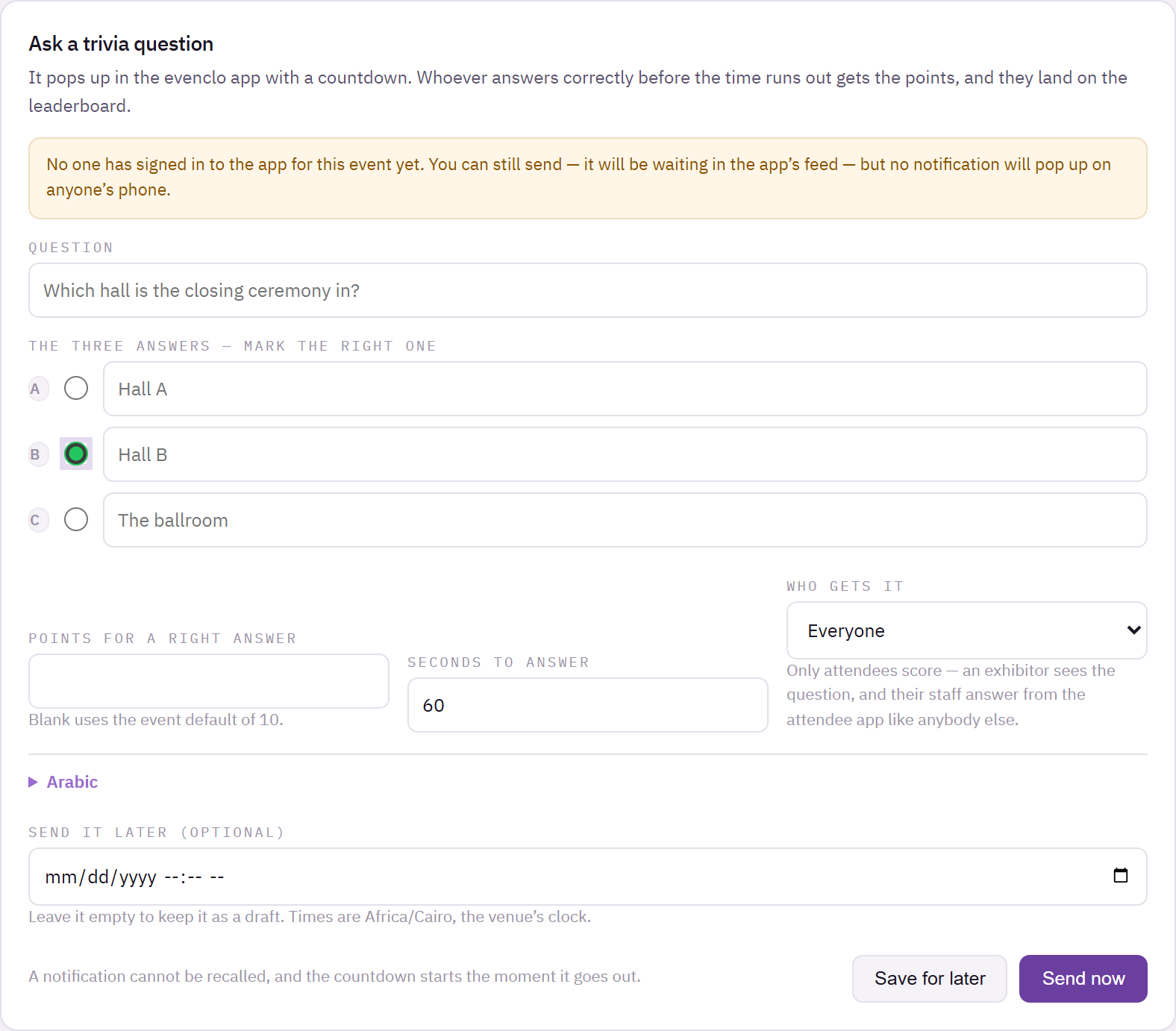
Trivia page with a question, three answers with the right one marked, points and countdown settings
A notification cannot be recalled, and the countdown starts the moment the question goes out. Read it through before you press Send now.
The countdown is the same on every phone
The clock is set by evenclo when the question is sent, not by each phone. Three hundred phones count down to the same second, and a phone that reconnects halfway through lands on the right number.
Fixing a question after it went out
Once a question has been sent, its answers, the right answer, the countdown and the points are fixed. Points already given cannot be taken back by editing the answers later. You can still correct a typo in the wording or the Arabic.
Scheduled questions
A question saved with a send time goes out on the next scheduled run, which can be a few minutes after the time you set. If the question has to land at an exact moment, such as the end of a keynote, press Send now instead.
Reading the results
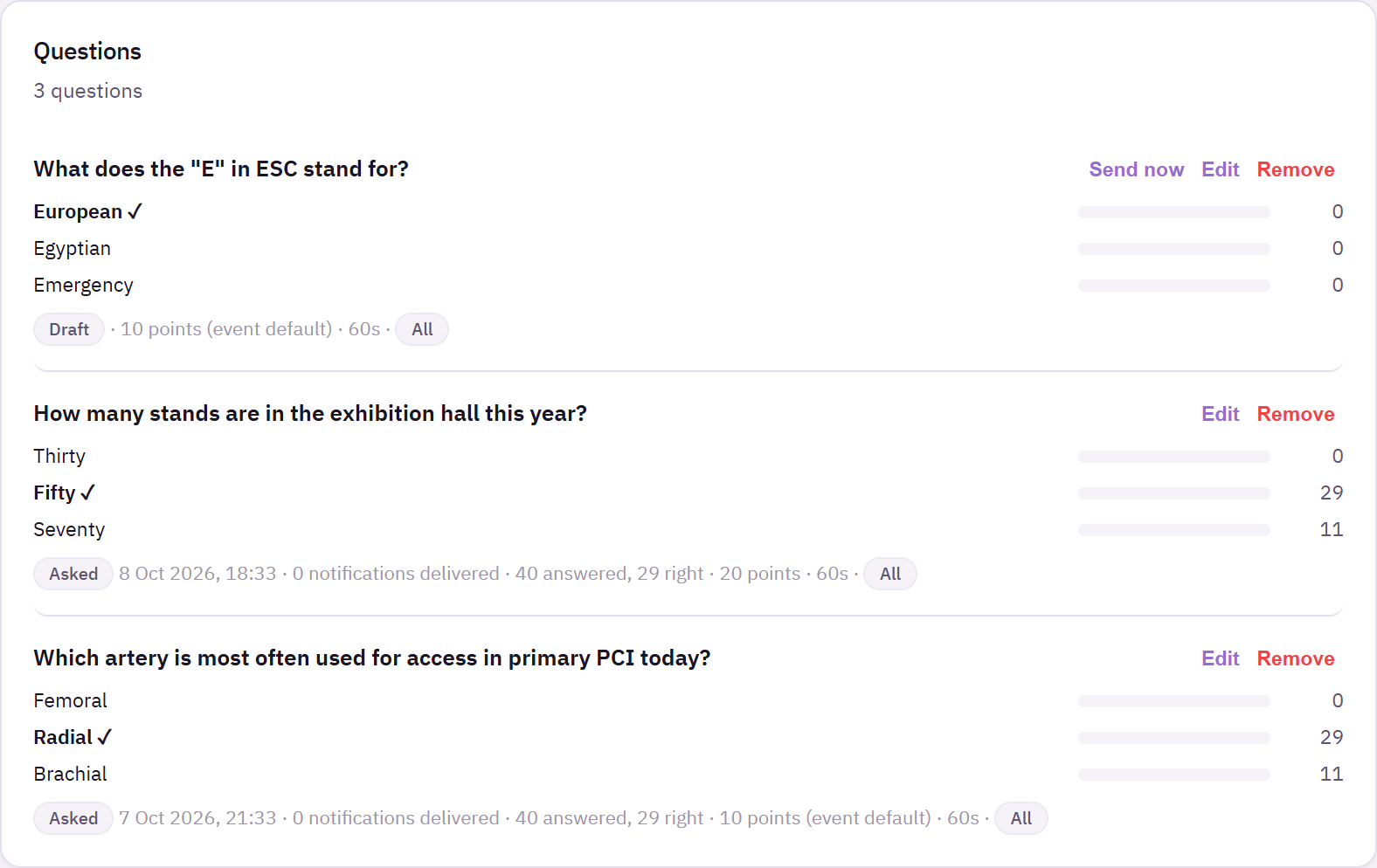
Questions lists everything you have sent and saved. A sent question shows a bar for each answer with how many people picked it, and the right answer highlighted.
Common problems
Nobody got a notification. If no one has signed in to the app for this event yet, the page warns you. The question still waits in the app's feed for whoever opens it.
An attendee answered right but got no points. They answered after the countdown, or they are an exhibitor. Only attendees score.
What happens next
more in engagement & points
- Score attendees and show a leaderboardTurn on points for what attendees actually do, set what each action is worth, and read the standing.
- Let attendees spend points on rewardsPut perks on the shelf, set what they cost and how many there are, and see who has swapped what.
- Run games and demos at standsGive a stand's game or demo a queue attendees join by scanning, and count who actually took part.
- Run the photo wallLet attendees post photos and short clips inside the app, decide who may post, and moderate what appears.